Walk through the specification sheets of any LED manufacturer and two pitches appear again and again: P2.6 and P3.9. They are not arbitrary numbers. They sit at the point where a screen is fine enough to look sharp from a normal viewing distance but coarse enough to stay affordable, which is why they cover the majority of indoor installations and a large share of rental work.
The choice between them is rarely about which is better. P2.6 is denser, so it shows more detail and tolerates closer viewers. P3.9 is coarser and cheaper per square meter, and at a distance it looks identical to P2.6 for most content. The skill is matching the pitch to the closest person who will actually stand in front of the screen, not to the nominal size of the room.
Both pitches share the same 500 x 500 mm cabinet on the X-series rental line and are available on fixed-install cabinets for permanent work. That common platform matters because it lets a project start at one pitch and switch to the other later without redesigning the mounting structure, the power distribution, or the signal path.
This guide walks through the specification differences, the viewing-distance maths that decides between them, and the cabinet, weight, and power consequences that buyers discover after they have already ordered the wrong density.
A 500 x 500 mm cabinet holds a different number of pixels depending on pitch. At P2.6 the panel is 192 pixels wide by 192 high, giving roughly 36,864 pixels per cabinet. At P3.9 the same cabinet is 128 pixels by 128, or about 16,384 pixels, which is less than half the pixel count and explains most of the cost difference.
That density gap sets the practical viewing distance. A useful rule is to allow roughly one meter of viewing distance per millimetre of pitch for comfortable appreciation of detail, so P2.6 is comfortable from about 2.6 meters and P3.9 from about 3.9 meters. Viewers closer than that begin to see the pixel structure rather than the image, especially on text, logos, and thin lines.
Both pitches handle the same brightness range indoors, roughly 800 to 2500 nits depending on the driving current and the content, and both reach refresh rates of 3840 Hz or higher for camera work. They also share a 100,000-hour rated life. The meaningful differences are pixel density, power draw, and the resolution you get from a given wall size.
Resolution is the factor buyers underestimate most. A four-by-three-meter wall at P2.6 gives roughly 1536 by 1152 pixels, close to a standard HD-plus canvas. The same wall at P3.9 gives about 1024 by 768 pixels, which is fine for video but starts to look soft on small text, spreadsheets, and detailed dashboards.
| Specification | P2.6 | P3.9 |
|---|---|---|
| Pixels per 500 x 500 cabinet | 192 x 192 (36,864) | 128 x 128 (16,384) |
| Comfortable viewing distance | From about 2.6 m | From about 3.9 m |
| Resolution of a 4 x 3 m wall | About 1536 x 1152 | About 1024 x 768 |
| Typical indoor brightness | 800 - 2500 nits | 800 - 2500 nits |
| Refresh rate | 3840 Hz or higher | 3840 Hz or higher |
| Cabinet size and weight | 500 x 500 mm, about 6.5 kg | 500 x 500 mm, about 6.5 kg |
| Rated lifespan | 100,000 hours | 100,000 hours |
| Best-fit applications | Boardrooms, control rooms, close retail | Stages, halls, mid-distance signage |
The viewing-distance rule is a starting point, not a verdict. What matters is the distance to the nearest viewer, because that is where pixel structure becomes visible, and the nature of the content, because text and fine graphics reveal coarse pitch long before video does. A P3.9 wall showing full-screen camera footage can look excellent from three meters, while the same wall showing a data table looks soft at the same distance.
Content type shifts the effective requirement by roughly one pitch step. If the screen will mainly show video, moving images, and large graphics, a coarser pitch is fine and the money saved is better spent on brightness or a bigger canvas. If it will show spreadsheets, small text, logos with fine detail, or a live camera feed where faces must read clearly, go one step finer than the distance rule alone suggests.
Resolution and physical size interact here. Two screens can share the same pitch but deliver very different pixel counts if they differ in size; a bigger wall at the same pitch simply has more pixels. When a project needs a specific resolution, work backwards from the target pixel count and the wall dimensions to find the pitch that delivers it, then check that the viewing distance tolerates that density.
A final practical test is to view the candidate pitch at the real distance with real content before ordering. This is easy on a rental project, where a single cabinet can be set up in the space, and it removes most of the risk from a decision that is otherwise made from a spec sheet.
| Application | Recommended Pitch | Reason |
|---|---|---|
| Boardroom and meeting room | P2.6 | Viewers sit close; text and video must stay crisp |
| Control room and monitoring | P2.6 | Dashboards and fine data require high pixel density |
| Retail window and close display | P2.6 | Shoppers stand within three meters of the glass |
| Corporate stage and hall | P3.9 | Audience stays beyond four meters for most content |
| Concert and event backdrop | P3.9 | Camera and audience distances are comfortable |
| Church and auditorium | P3.9 to P2.6 | Depends on the front-row distance and content |
| Large indoor feature wall | P3.9 | Size matters more than density at distance |
Because both pitches share the 500 x 500 mm cabinet at about 6.5 kg, the physical handling is similar, but the electrical load is not. A denser pitch packs more LEDs and more driver channels into the same area, so P2.6 draws more current per square meter than P3.9 at the same brightness. On a large wall that difference shows up in the breaker size, the cable gauge, and the number of power supplies in the rack.
Heat follows the same pattern. P2.6 wastes more energy per square meter, so rear plenums and airflow must be sized for the higher figure. In a sealed control room this can mean a measurable difference in the cooling load, which is worth modelling before the HVAC design is fixed rather than after.
The shared cabinet platform also brings front and rear maintenance access, which matters for both pitches. On a wall mounted against a finished wall, front service lets a technician replace a module without disturbing the room. Where a walkable plenum exists, rear service is faster still. Planning access early costs nothing; retrofitting it into a sealed wall is expensive.
Signal design should be sized for the denser option even when the budget currently allows only P3.9. Running a fiber path and a receiving system that could carry P2.6 later means a future upgrade is a cabinet swap rather than a rebuild of the data backbone.
Asia Vision Technology builds both pitches on the same 500 x 500 mm X-series cabinet, about 6.5 kg with front and rear maintenance access, so a project can be specified at P2.6 for close viewing or P3.9 for distance without changing its structure or rigging plan. The CV-PRO COB line reaches a 10000:1 contrast ratio for indoor installations that demand deep blacks.
We cover the full range from P0.9 to P20 and reach refresh rates of 3840 Hz or higher indoors, with a rated 100,000-hour lifespan. Products carry CE, FCC, and RoHS certification and ship in 15 to 20 working days with a 3-year standard warranty.
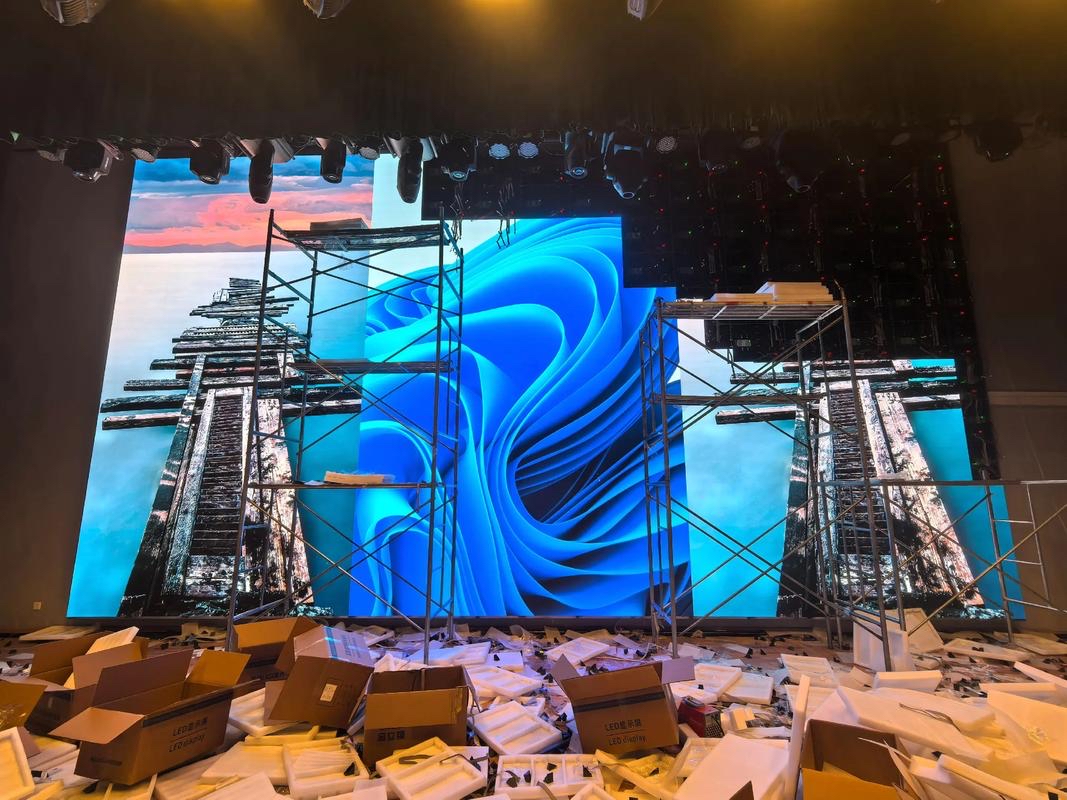
For this requirement our range covers it directly: the RH-PRO fine-pitch COB (flagship, full redundancy) and the COB CV-PRO series (Ultra-HD fine pitch).
Related reading: LED Display Bill of Lading Guide for Importers 2026
Related reading: LED Display Cable & Wiring Guide 2026