By David
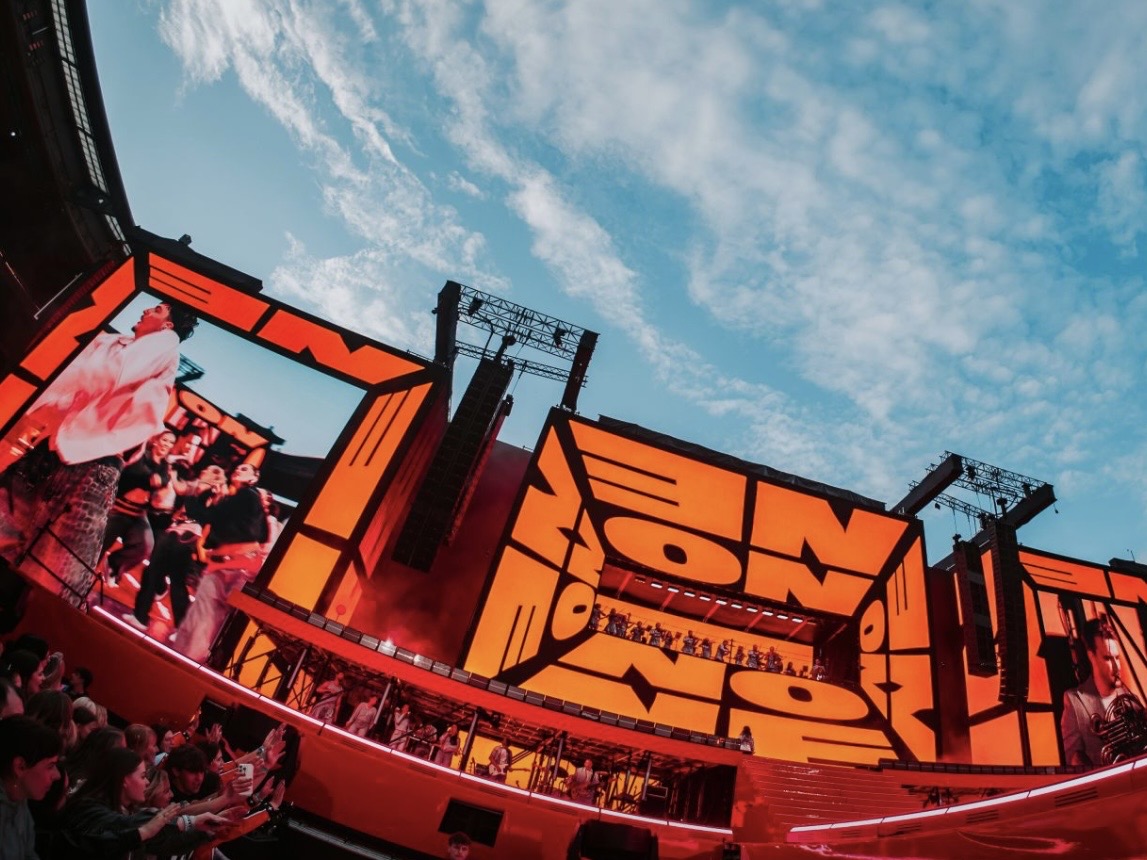
What makes an LED display suitable for stadium broadcast? An LED display stadium broadcast system must look right to both the crowd and the television cameras watching it. That means high refresh rate, high brightness, careful color handling, and synchronisation with the broadcast. This 2026 guide explains the specifications that decide whether a stadium screen looks professional on camera or flickers and bands in front of a worldwide audience.
A stadium screen is unusual because it has two audiences at once. The people in the stands see it directly, and the cameras filming the event see it through a lens. A screen that looks perfect to the crowd can band, flicker, or wash out on television, and those flaws are watched by millions of viewers who never set foot in the venue.
This guide is written for buyers specifying LED displays for stadiums, arenas, and sports venues with broadcast coverage. It covers the specifications that matter for camera work and the coordination required with the broadcast team.
Refresh rate is the most critical specification for a broadcast screen. When a camera shutter opens, it samples the screen at one instant. A screen with a low refresh rate shows dark bands or flicker in that instant, which the television audience sees clearly even though the crowd sees nothing wrong.
| Refresh Rate | Camera Result | Suitability |
|---|---|---|
| 960-1,920 Hz | Visible banding on many cameras | Not for broadcast |
| 1,920-2,880 Hz | Acceptable for casual video | Limited broadcast use |
| 3,840 Hz | Clean on most broadcast cameras | Minimum for sports |
| 4,800-7,680 Hz | Clean on high-speed cameras | Best for premium broadcast |
For stadium broadcast, treat 3,840 Hz as the minimum and consider higher for premium venues. The driver IC and scan rate must support the refresh rate in practice, not only on the datasheet, so ask for a camera test with the production equipment before accepting the specification. A number on a brochure means nothing if the real screen cannot deliver it under match-day lighting.
A stadium screen must fight sunlight during a day match and avoid glare during a night match. Brightness that suits a bright afternoon is too strong at night, so the screen needs a wide dimming range and automatic control that follows the light.
The screen must also be readable when the sun is directly on it, which means high peak brightness and a surface that controls reflection. Both are needed together: peak brightness without reflection control still looks washed out under direct sun.
Broadcast cameras are sensitive to color differences that the eye may miss. The screen should be calibrated to a known color standard so its whites and team colors match what the cameras expect. Poor color handling shows up as a screen that looks a different shade on television than in the stadium.
Gray scale matters as much as color. A screen with poor gray scale shows banding in gradients and dark scenes, which is obvious on camera. Ask for high gray scale depth alongside the refresh rate, and test a dark gradient along with bright content.
A stadium screen must work with the broadcast system, not against it. Frame sync and genlock let the screen lock to the production's timing, which removes rolling bands and keeps replay and live content clean. Without synchronisation, the screen can appear to flicker even at a high refresh rate.
Coordinate with the broadcast team early in the project. The camera frame rates, the shutter speeds, and the sync requirements all affect the specification. A screen chosen without that input may pass a bench test and still fail on match day.
Stadium screens are viewed from two very different distances: the nearest seat and the far stand. The pixel pitch must be fine enough for the closest significant viewing distance while remaining cost-effective for the size of the wall. Large screens at long distances can use a coarser pitch; premium screens near the crowd need finer.
| Position | Viewing Distance | Typical Pixel Pitch |
|---|---|---|
| Perimeter boards | 10-50 m | P6-P10 |
| End-zone screens | 40-100 m | P10-P16 |
| Corner or ribbon | 20-80 m | P6-P10 |
| Premium near crowd | 5-20 m | P4-P6 |
Match the pitch to the position and the budget. A screen that is finer than its viewing distance needs wastes money; a screen that is coarser looks blocky to the nearest fans. Model the worst-case viewing distance for each screen and choose accordingly.
Stadium screens face weather, wind load, and long sightlines. They must be engineered for the structure, rated for the climate, and maintainable without closing the venue. Cooling, access, and IP rating are as important as the image specifications for a screen that must work in all conditions.
Plan the maintenance access with the screen design. A screen that requires scaffolding to service a single module will be maintained rarely and fail more. Front or rear access matched to the structure keeps the wall serviceable for its whole life.
A stadium screen shows more than video. It shows scores, replays, player data, sponsor content, and live statistics, often all at once and updated in real time. The screen must work with the venue's control and data systems so the operator can switch between these sources quickly and reliably during a match.
Plan the input list and the switching with the venue's production team. A screen that can show a scoreboard but cannot handle an instant replay from the broadcast truck is missing half its job. The processor and signal chain should be specified around the sources the venue actually uses.
The screen's brightness and color must also suit the content mix. A bright white sponsor board next to a dark replay can make the replay look dull if the screen's black level is poor. Balance brightness across content types so every source looks right in turn.
Stadium screens live outdoors for years. They face rain, wind, dust, and temperature swings, and they must keep working in all of it. The IP rating, the cabinet sealing, and the cooling design together decide whether a screen survives its climate or needs constant repair.
| Hazard | Protection | Specification Point |
|---|---|---|
| Rain and water | IP65 or better sealing | Rated for outdoor exposure |
| Wind load | Engineered mounting | Structural load calculation |
| Dust and pollution | Sealed cabinets, filters | IP rating plus filter plan |
| Heat and sun | Cooling plus light cabinet | Operating temperature range |
| Corrosion | Coastal-grade materials | For seaside or humid sites |
Coastal venues need special attention because salt air corrodes connectors and housings faster than inland conditions. For these sites, specify corrosion-resistant materials and a maintenance plan that inspects connectors regularly. A screen that ignores its environment fails early no matter how good its image is.
Write the specification around the broadcast requirement: refresh rate, dimming range, color standard, sync, and a camera test as an acceptance condition. Add the structural, environmental, and maintenance requirements so the screen works in the venue as well as on camera.
LED display stadium broadcast is a coordination job as much as a specification job. Buyers who involve the broadcast team early, demand a camera test, and plan for the venue's real conditions get a screen that satisfies both the crowd in the stands and the cameras in the gantry.
Rehearse with the production before the first live match. A dry run that exercises the scoreboard, replay, sponsor content, and camera feeds finds the signal and sync problems while there is still time to fix them. A screen that has been through a live rehearsal is far more reliable on match day, when there is no second chance to get it right.
Tell us your venue and camera system, and we will match the refresh rate, brightness, and sync your screen needs.
Request Stadium SpecChat on WhatsApp