By David
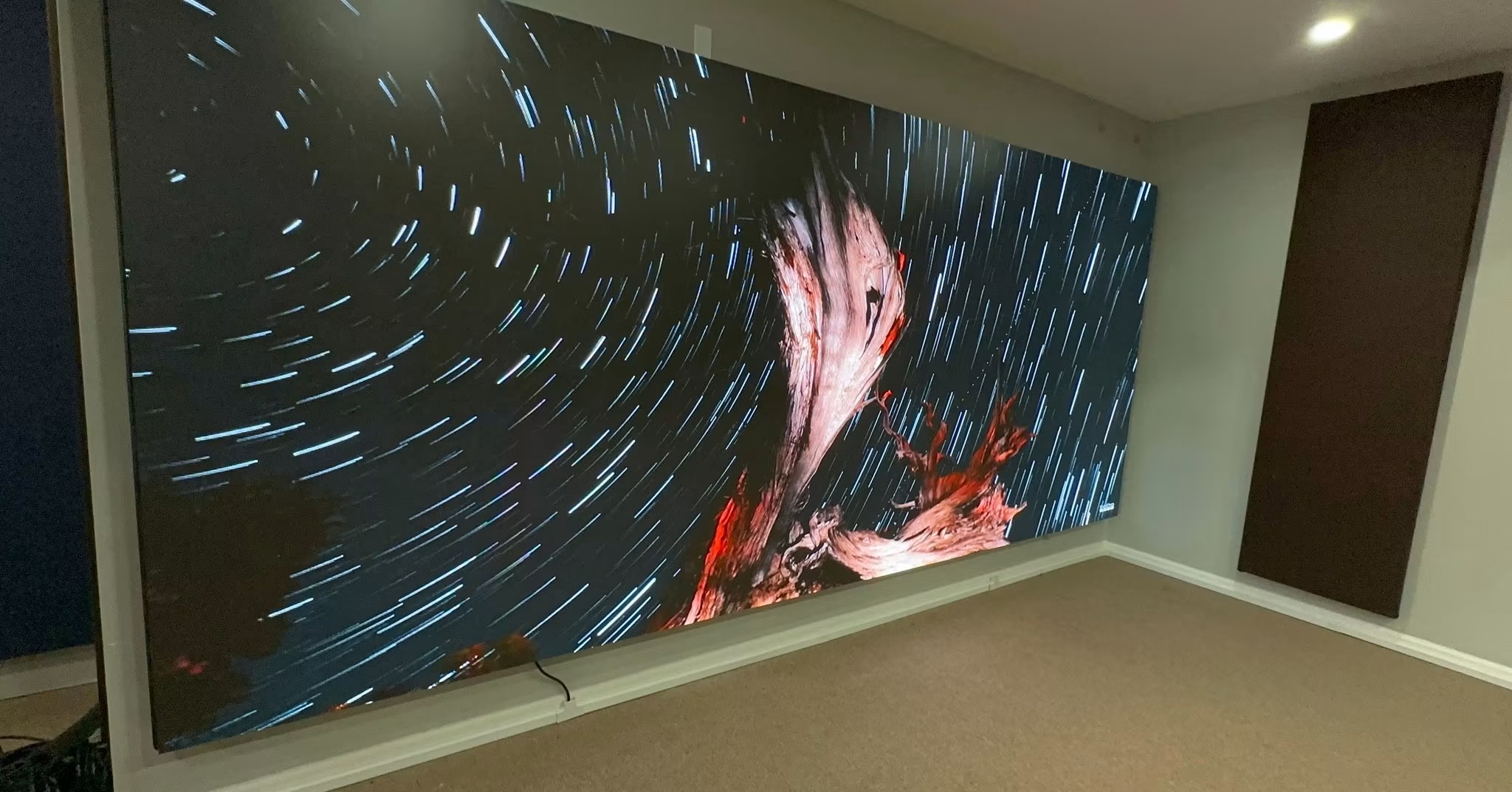
What is an LED display XR stage? An LED display XR stage is a curved wall of LED panels, often called a volume, that shows a virtual background behind live actors so the camera captures the final scene in-camera. It replaces green screen for many productions and demands the most exacting LED specifications available. This 2026 guide explains what an XR stage requires from its display, from refresh rate and latency to colour accuracy.
An XR stage is the most demanding LED application in the industry. The screen must refresh fast enough that no camera sees a flicker, sync perfectly with the camera's timing, and render color accurately enough that the virtual background matches the real foreground. A screen that would be excellent for a stadium can still fail on an XR stage, where the camera judges every pixel.
This guide is written for producers, studios, and rental companies building or specifying an XR volume. It covers the specifications that decide whether a virtual production succeeds and the coordination with the camera and tracking systems.
An XR stage combines a large LED volume, a camera tracking system, and a real-time render engine. The screen displays the virtual world from the camera's perspective, updated as the camera moves. The audience never sees the screen alone; they see what the camera captures, which is why camera performance outranks everything.
The volume is usually curved, and often has a ceiling section, so the screen wraps the scene. This creates a fully lit environment for the actors and lets the camera capture reflections and lighting that green screen cannot reproduce. It also multiplies the engineering challenge.
For XR, refresh rate must be high enough that no camera shutter catches a band, and latency must be low enough that the background moves with the camera in real time. A delay between the camera moving and the image updating causes the virtual world to swim, which ruins the illusion.
| Specification | XR Requirement | Why |
|---|---|---|
| Refresh rate | 7,680 Hz or higher typical | Flicker-free on high-speed cameras |
| Latency | Under one frame | Background must track the camera |
| Genlock | Required | Lock the screen to camera timing |
| Gray scale | 16 bit preferred | Smooth gradients on camera |
| Pixel pitch | P1.5-P2.6 typical | Sharp at close camera distance |
Latency is the specification that most often decides success. The chain from camera tracking to render to display must complete within a fraction of a frame. Every component, including the processor, contributes delay, so the whole pipeline is designed together rather than assembled from parts.
XR stages put the camera close to the screen, often only a few meters away, and the camera sees far more detail than the eye. The pixel pitch must be fine enough that the grid is invisible on camera at the closest working distance. A pitch that looks fine to a person can be obvious through a lens.
The right pitch depends on the camera, the lens, and how close the camera gets. Wider shots tolerate a coarser pitch than tight close-ups. Studios should test the intended pitch with the actual camera and lens before committing, because the cost difference between pitches is large and a wrong choice is expensive to reverse once the volume is built.
In an XR stage, the screen is the light source for the scene. Its color and brightness directly affect how the actors and props look on camera. If the screen is too blue, the actors look blue. If it is uneven, the lighting in the shot is uneven. Color accuracy is not a cosmetic detail; it is part of the lighting.
Calibrate the volume to a known standard and keep it calibrated. Producers often match the screen to the camera's color pipeline so that what the render engine produces is what the camera captures. This coordination between the display and the camera is what makes the virtual world sit convincingly behind the actors.
Most XR volumes are curved, and many include a ceiling, to surround the actors with the virtual world. Curved cabinets follow the camera's arc and provide reflections that flat screens cannot. Ceiling sections add ambient light and reflections from above, which the camera captures in reflective props and eyes.
Curved and ceiling modules add cost and complexity. The curve radius must match the design, the cabinets must align precisely, and the calibration must hold across the curve. Planning the geometry with the studio's creative and technical teams avoids a volume that cannot be upgraded or reconfigured.
An XR stage runs on tight production schedules where a failed cabinet can stop a shoot day. Redundancy in power, signal, and processing is standard. A dark section of the volume in the middle of a shot is not an option, and the time to fix it is not available.
| Failure | Redundancy | Why It Matters |
|---|---|---|
| Power supply | Redundant PSU per cabinet | A dark cabinet ruins a shot |
| Signal path | Dual sending cards, backup cabling | No loss of image mid-shoot |
| Processor | Dual processors with failover | Keeps the volume running |
| Tracking | Backup tracking system | Scene accuracy depends on it |
Redundancy also applies to spares. An XR stage should hold batch-matched spare modules and cards on site, with a technician able to swap a module during a break. The cost of downtime on a shoot dwarfs the cost of a shelf of spares.
An XR volume is built by more than one team. The display supplier, the tracking vendor, the render engine team, and the studio's technical staff all touch the same system. If they work in isolation, the parts may not fit together, and the volume fails on the first shoot day.
Bring the teams together at the design stage and agree on the interfaces: the resolution and pixel pitch, the refresh and sync, the latency budget, and the colour pipeline. A single system integrator who owns the whole pipeline usually produces a smoother result than a set of parts assembled on site.
Testing is where the integration proves itself. Before a shoot day, run the production cameras, the tracking, and the render engine together and look for swimming, banding, or colour drift. A problem found in testing costs an afternoon; the same problem found on set costs a day.
Write the specification around the production: the cameras, the lenses, the frame rates, and the working distances. Test the pitch and the refresh rate with the real camera before committing. Coordinate the display, the tracking, and the render engine as one system, because they only work together.
LED display XR stage work is at the frontier of the industry, where the display, the camera, and the computer must perform as one instrument. Buyers and studios who treat the volume as a system, test with real equipment, and plan for redundancy get a stage that delivers convincing in-camera effects on schedule.
Plan for growth as well as for the first production. A volume that can be extended, re-configured, or upgraded without replacing the whole wall protects the studio's investment. Standardising on a panel model and a control system that supports expansion keeps the stage useful as the studio's work changes, and it keeps the value of the volume working for years rather than for a single production.
Tell us your cameras and working distances, and we will specify the pitch, refresh, and sync for your volume.
Request XR Stage SpecChat on WhatsApp