By David
What matters in an LED display for a control room? A control room LED display must run continuously, stay readable at close viewing distance, and hold consistent color for years. Unlike advertising walls, control room walls are judged by operators who sit meters away and watch them every day. This 2026 guide explains the specifications that determine whether an LED display control room succeeds or becomes a maintenance burden.
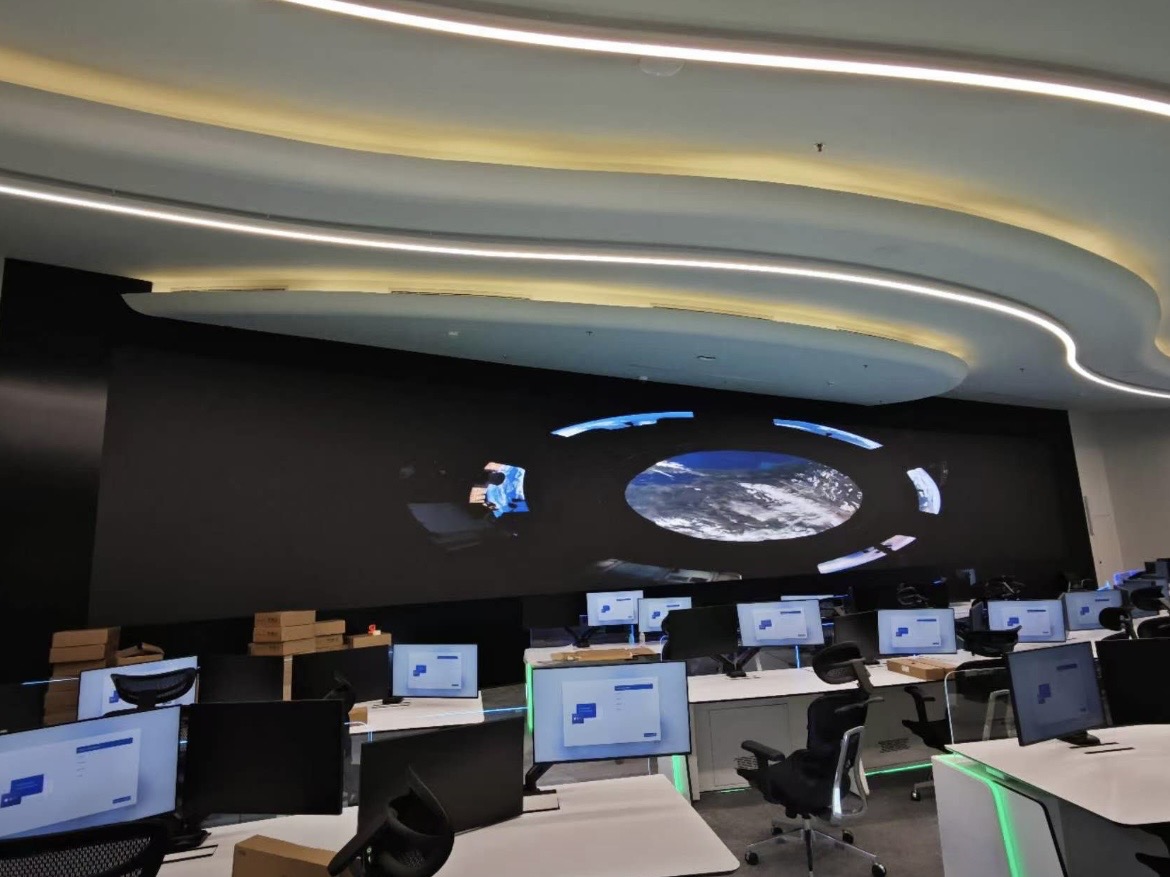
Control rooms are the most demanding fixed-installation environment for LED displays. The screen runs around the clock, operators sit close enough to see individual pixels, and the content mixes video feeds, maps, dashboards, and data with fine detail. A wall that looks impressive in a showroom can fail these conditions within months.
Buyers who understand the operating conditions can specify a wall that lasts a decade. Buyers who buy on price alone usually discover the problems after installation, when the room is already in service and downtime is expensive.
Control room viewing distances are short. Operators may sit three to six meters from the wall, and supervisors may stand even closer. At those distances, coarse pixel pitch produces visible pixel structure that tires the eyes and reduces the amount of detail a screen can show.
| Viewing Distance | Recommended Pixel Pitch | Typical Control Room Use |
|---|---|---|
| 1.5-3 m | P0.9 - P1.25 | Operator desks, fine dashboards |
| 3-5 m | P1.5 - P1.9 | Primary control room wall |
| 5-8 m | P2.5 - P3.9 | Large command walls, overview |
| 8 m+ | P4 - P6 | Auditorium or briefing walls |
A useful rule is one millimeter of pixel pitch for every one meter of minimum viewing distance, then round down for safety. If operators sit three meters away, P1.5 to P1.9 keeps text sharp. Buying a finer pitch than needed increases cost without visible benefit and adds more connectors to maintain.
Control rooms are usually dim so operators can read screens and monitor consoles. High brightness that suits daylight advertising is unnecessary and can cause eye strain. A brightness of 600 to 1000 nits is typical for a dim control room, with the ability to dim further when the room lights are low.
The critical requirement is not peak brightness but low-brightness stability. The wall must run at 20 to 30 percent of its maximum without color shift or flicker. Cheap drivers that cannot dim smoothly produce a green or pink cast at low levels, which is visible in a dark room and ruins the viewing experience.
A control room wall may run 24 hours a day, 365 days a year. That duty cycle magnifies every thermal and component weakness. Heat is the main enemy of LED lifetime, so cooling design matters more here than in any shorter-duty application.
Ask for the mean time between failures and the recommended maintenance interval. A wall designed for continuous operation uses higher-grade capacitors, better thermal paths, and more conservative drive current than an event panel. Those choices show up in the quotation as a higher price per square meter and are worth paying for a room that never sleeps.
| Failure to Protect | Option | When It Is Required |
|---|---|---|
| Power supply | Redundant PSU per cabinet | Any 24/7 control room |
| Signal path | Dual sending cards and backup cabling | Broadcast and utility control rooms |
| Processor | Dual processors with auto failover | Rooms where downtime is unacceptable |
| Content source | Backup player with hot switch | Emergency and security operations |
Redundancy is a budget decision tied to the cost of an outage. A retail wall can justify basic spares; a utility or security control room cannot accept a dark screen during an incident. Buyers should state the acceptable downtime and let that figure drive the redundancy level.
Operators compare colors across the whole wall every day. If one cabinet looks warmer than its neighbor, the wall looks broken. Point-by-point calibration brings every module to a common color and brightness standard, and the calibration must be repeatable after a module is replaced.
Ask how the factory calibrates, whether the calibration data travels with each module, and how a field replacement is re-calibrated. A wall without a clear calibration process will drift, and replacing a single module will leave a visible color patch.
Control rooms often arrange desks in rows, so some operators view the wall from an angle. A wall with a narrow viewing angle dims and shifts color at the edges, which disadvantages the operators sitting to the side. A wide horizontal viewing angle keeps the image consistent across the room.
Map the seating plan before choosing cabinets. The number of operators, the angle of each desk, and the distance from each seat determine the minimum viewing angle and the maximum cabinet depth. Skipping this step leads to a wall that is perfect for the center seat and poor for everyone else.
Control rooms combine many sources: cameras, video conferencing, network maps, and data dashboards. The signal chain must handle all of them without dropping frames. Latency matters when operators make decisions based on live camera feeds, so the processing chain from source to screen should be tested end to end.
Confirm the number and type of inputs, the maximum window count, and whether any source requires a specific frame rate or color format. A control room that runs well in a bench test can still struggle when all inputs are live at once, so a full-load test before acceptance is essential.
Control rooms vary widely in lighting. Some are dim to protect night vision, while others have daylight windows or bright task lighting over consoles. The screen surface must match the room. A glossy surface reflects the room lights and washes out dark content, while a matte surface controls reflection but slightly softens fine detail.
Ask for the surface finish and the anti-reflection treatment, and view a sample under the room's real lighting. A screen that looks perfect in a dark showroom can become a mirror in a bright dispatch room. This single choice often decides whether operators can read a dark map at night.
Operators watch the wall for entire shifts, so comfort matters as much as raw performance. Consistent brightness across the wall, stable dimming, and no visible flicker reduce eye strain. A screen that slightly flickers or that dims unevenly forces the eye to work harder over a long shift.
Where a control room contains both LED walls and LCD monitors, match their color temperature. A warm LED wall beside a cool LCD monitor looks wrong even when each is correct on its own. Define a target white point and calibrate every display in the room to it.
Commissioning is where a control room wall proves itself. The handover should include a full-load source test, a low-brightness color check, a calibration record, a wiring diagram, and a spare parts list. Without these documents, the room's operators inherit a system they cannot fully maintain.
Plan a short training session with the install team for the operators who will use the wall daily. Knowing how to switch sources, recall presets, and report a fault turns a fragile install into a reliable tool. The cost of training is small next to the cost of a wall that nobody can operate correctly.
Write the specification around the room's real operating conditions: viewing distances, duty cycle, ambient light, seating plan, source list, and acceptable downtime. Add the acceptance tests, including a full-load source test, a low-brightness color check, and a calibration repeatability check after a module swap.
A control room wall is infrastructure, not decoration. Buyers who specify it like a device that must run for ten years get a wall that quietly does its job. Buyers who treat it like a showroom screen spend the next decade managing service calls and color patches.
Tell us your room size, seating plan, and duty cycle, and we will specify the pixel pitch and redundancy your wall needs.
Request Control Room SpecChat on WhatsApp